Back to Teacher View
Student View

Welcome to Storyworks 4-6
It’s easy to sprinkle a little Storyworks magic into your week. Here’s a simple way to use our website to teach a whole-class lesson.
1. Watch the video. This builds background knowledge. Click Resources in your story card to get the video.
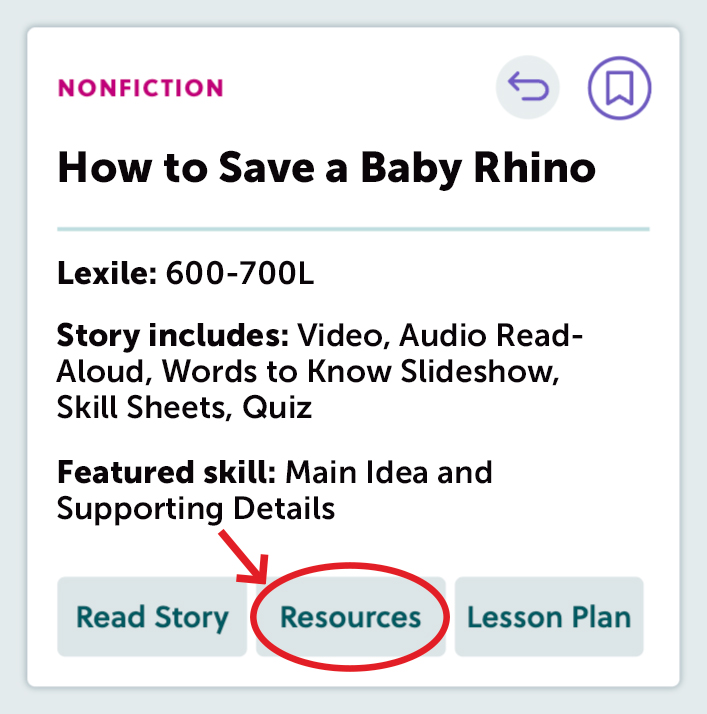
2. Play the vocabulary slideshow. This pre-teaches words students will read in the article. Click Resources in your story card to get the vocabulary slideshow.
3. Read the article. You can project the article for the whole class.
First, click Read Story on the back of the story card.
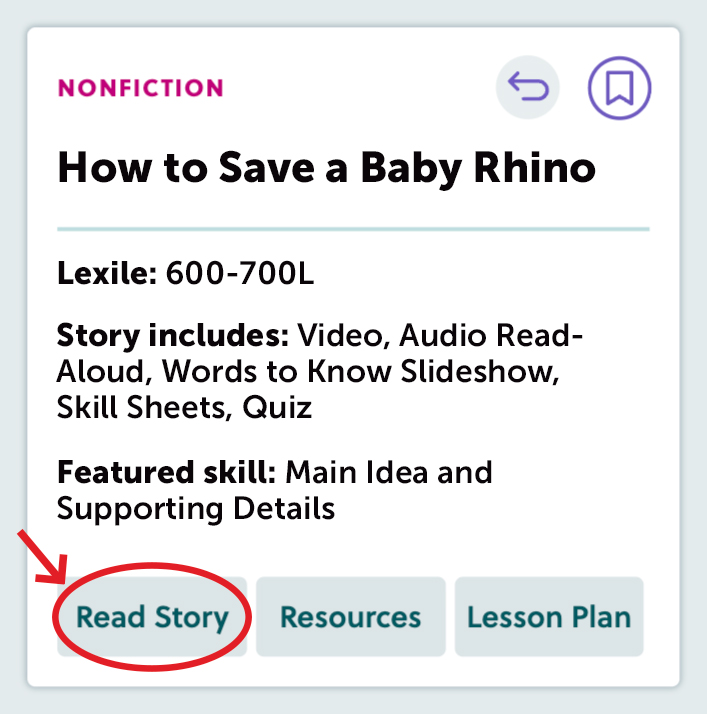
Then, click Open Your Magazine.

4. Use our online tools. You can click Read Aloud to hear the issue read aloud—and give yourself a break! The Highlight tool comes in three colors. Mark up the issue with the Draw tool, and more!

5. Assign our skill sheets to extend the learning. Click Resources in your story card to get these.
Voilà! Now you’ve taught a whole-group lesson with Storyworks 4-6.
Text-to-Speech